
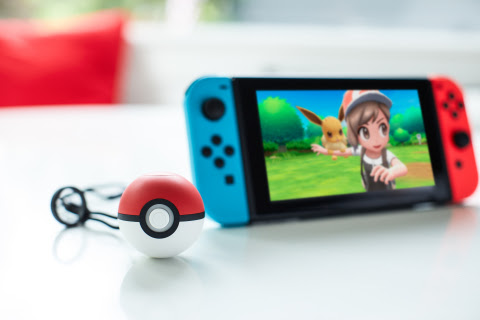
It turns out that motion controls are not required to catch Pokémon while playing Pokémon Let’s Go Pikachu and Let’s Go Eevee in handheld mode on Nintendo Switch, according to a statement from Nintendo. Here’s the full statement provided to IGN by a Nintendo representative:
“Pokémon: Let’s Go, Pikachu! and Let’s Go, Eevee! do not require players to use motion controls or physical gestures when in Handheld Mode. Instead, players can use the joystick on the left Joy-Con controller to aim and press the A button to throw a Poké Ball. The simulated throwing motion associated with the Joy-Con controllers or Poké Ball Plus are intended to enhance the gameplay experience, but are not required to play these games.”
A representative for The Pokémon Company confirmed to IGN that “there is no function to turn off motion controls,” but that “this does not impact that player’s ability to use the buttons and joysticks to play the game in handheld mode.”
Here’s what IGN learned about motion controls in Pokémon: Let’s Go while in handheld mode:
- At the start of a Pokémon catching encounter, the only input needed is choosing an item and pressing the A button to throw a Poké Ball. No motion controls required.
- This is easily accomplished if the Switch is completely stationary, such as when flat on a table.
- If you want, you can move the camera while in a catching encounter with the left joystick, though there is no obvious reason to do so.
- However, motion controls cannot be turned off.
- So, if the Switch in handheld mode is physically moved, the movement would trigger the motion controls, causing the camera to move with it.
Source: IGN.com
 Pokémon Blog
3 thoughts on “Motion controls cannot be disabled in Pokémon Let’s Go but aren’t required in handheld mode if kept on flat surface”