
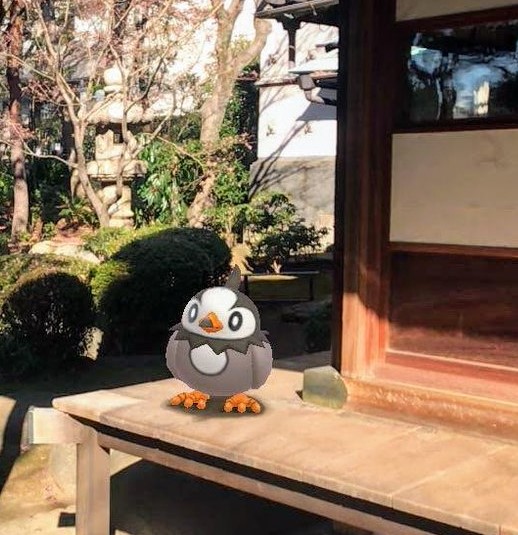
Pokémon GO Trainers will soon have the chance to take pictures of any of your Pokémon at any time with the new GO Snapshot feature. GO Snapshot allows players to take photos of any Pokémon that they have in their Pokémon Storage. You access the feature by looking at a specific Pokémon or by accessing the camera in your Bag of items. From there, simply select a Pokémon and tap on the screen to throw its Poké Ball to that spot. Once your Pokémon is in position, you can move around it to find the best angle. If your Pokémon isn’t focusing on its photo op, just brush across it to get its attention. It’ll face you and get ready to show off to the lens. From there, you can take a bunch of pictures of your Pokémon. With GO Snapshot, Trainers can now easily review the AR photos captured in a single session, without having to exit Pokémon GO.
Source: @PokemonGoApp
 Pokémon Blog
29 thoughts on “Video: With GO Snapshot, you can now easily review the AR photos captured in a single session without having to exit Pokémon GO”