
How to transfer Pokémon from Pokémon GO to Pokémon: Let’s Go, Pikachu! and Pokémon: Let’s Go, Eevee!
To bring the Pokémon you have caught in Pokémon GO over to your Pokémon: Let’s Go, Pikachu! or Pokémon: Let’s Go, Eevee! game, you need to first pair your Pokémon GO account to the Nintendo Switch game.
Linking your games
1.Open the Pokémon GO app.
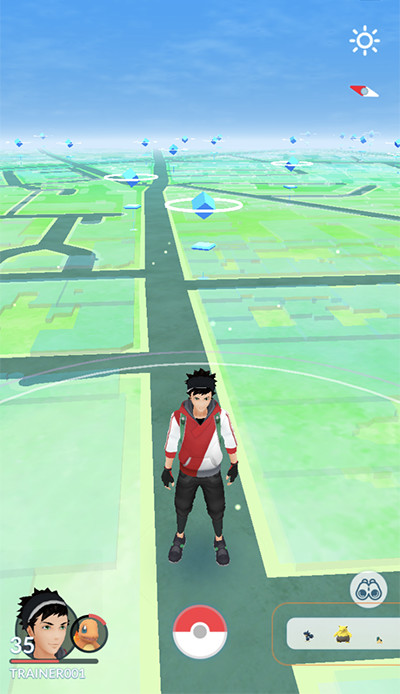
① Tap the Poké Ball icon in Map view.
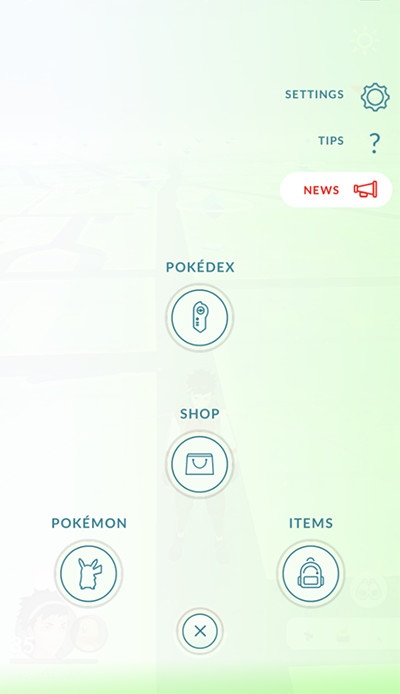
② Tap “SETTINGS” at the top right.
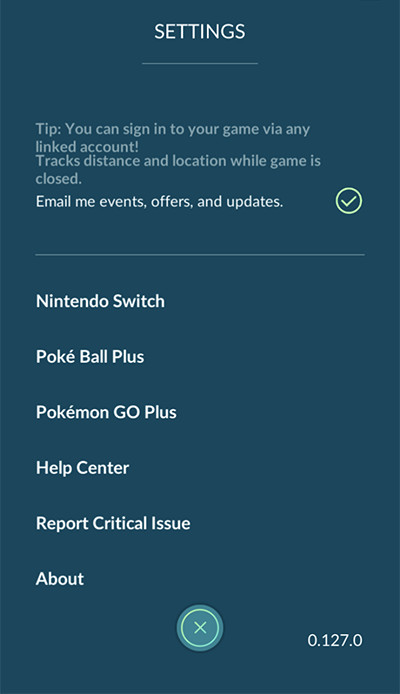
③ Tap “Nintendo Switch.”

④ Tap “Connect to Nintendo Switch.”
2.Open your Pokémon: Let’s Go, Pikachu! or Pokémon: Let’s Go, Eevee! on the Nintendo Switch system.
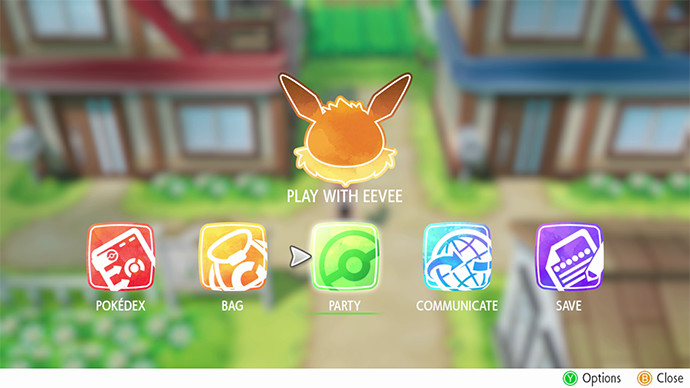
① Press “X” to open the main menu, and select “Options.”
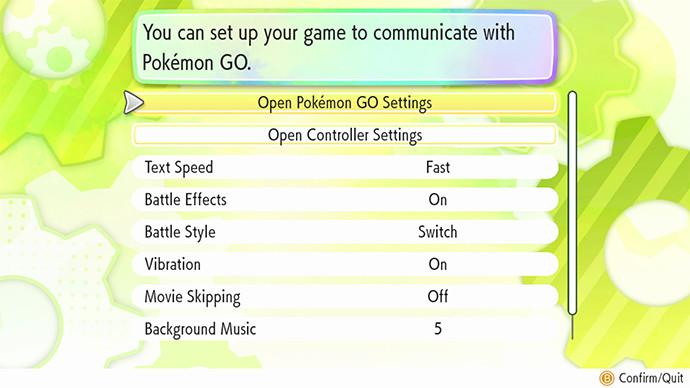
② Select “Open Pokémon GO Settings.”
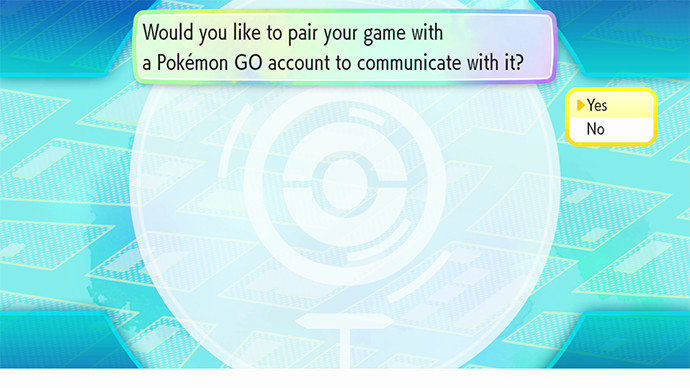
③ Choose “Yes” to confirm that you wish to pair your game with a Pokémon GO account.
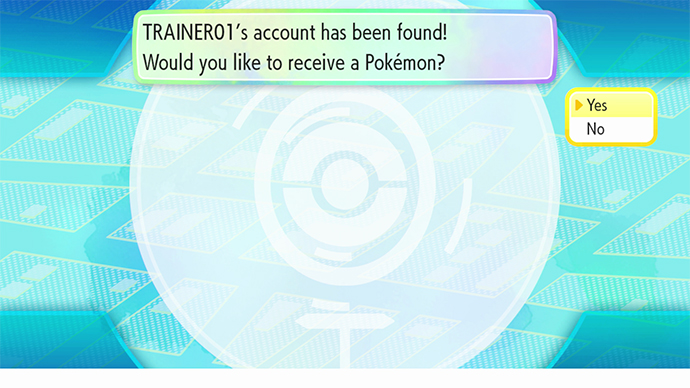
④ Choose “Yes” to confirm that your Trainer name is correct.
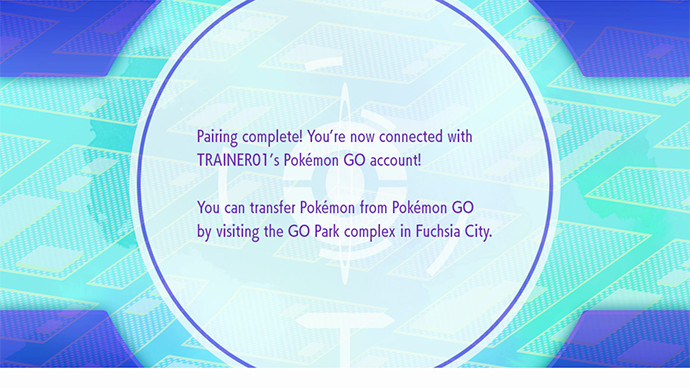
⑤ The pairing complete message appears.
Transferring Pokémon
1.Open the Pokémon GO app.
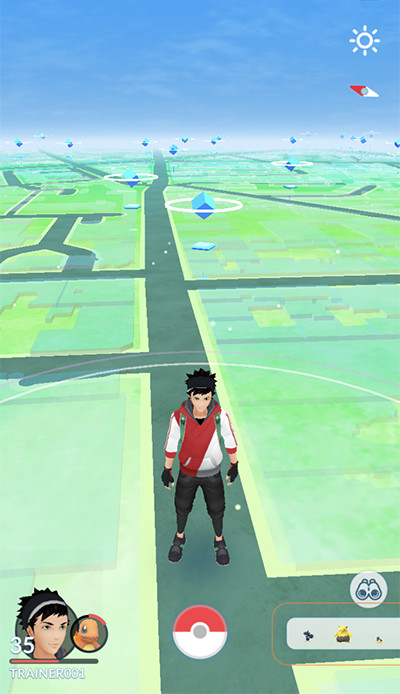
① Tap the Poké Ball icon in Map view.
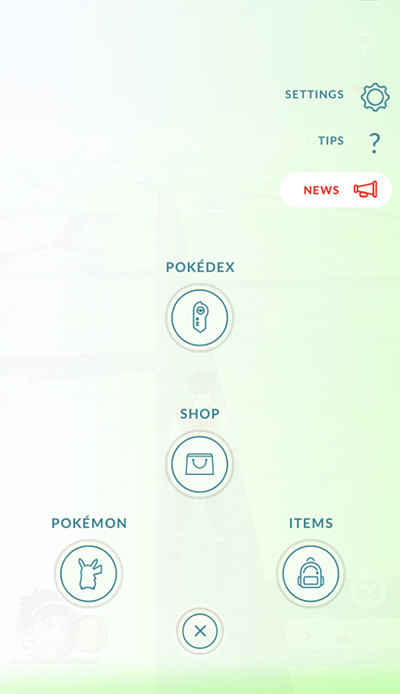
② Tap the Pokémon icon at the bottom left.
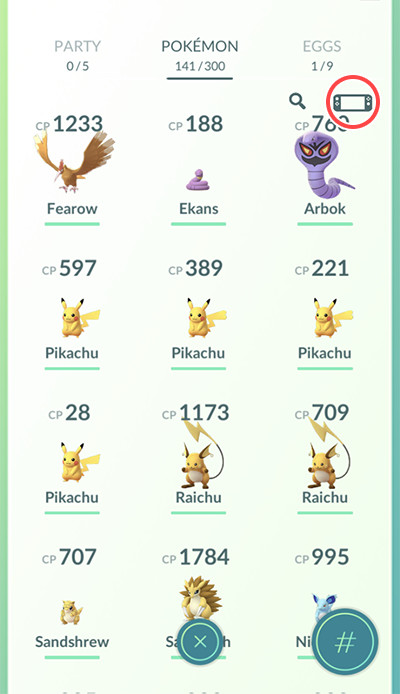
③ Tap the Nintendo Switch icon at the top right.
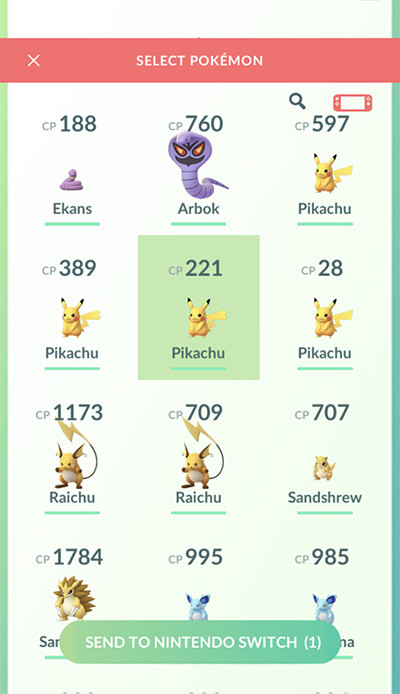
④ Tap the Pokémon that you wish to transfer.

⑤ Tap “YES” to confirm the action.
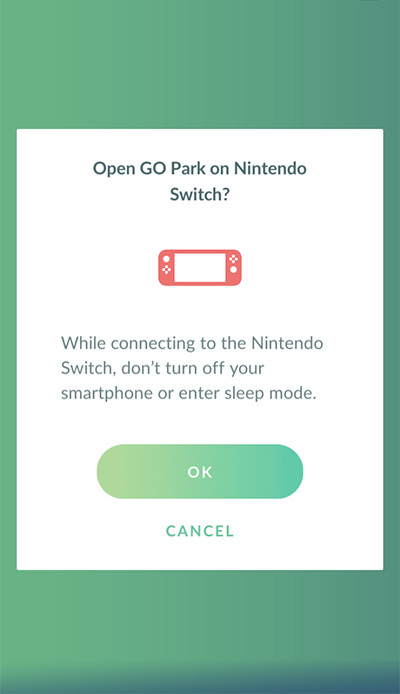
⑥ Tap “OK” to complete the action.
2.Open your Pokémon: Let’s Go, Pikachu! or Pokémon: Let’s Go, Eevee! on the Nintendo Switch system.
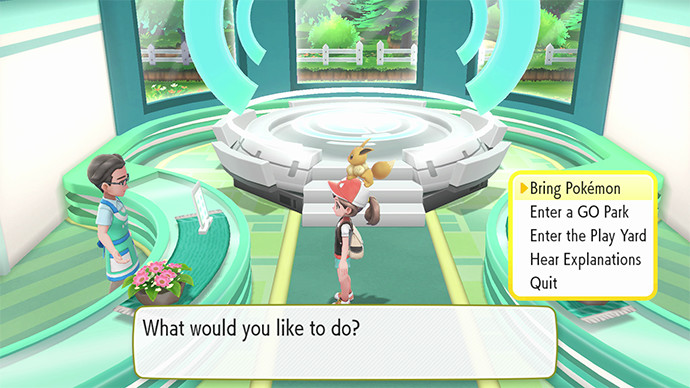
① Select “Bring Pokémon.”
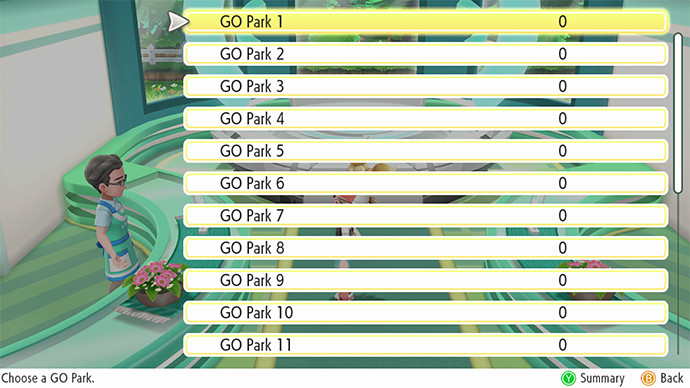
② Pick a GO Park to which to send the Pokémon.
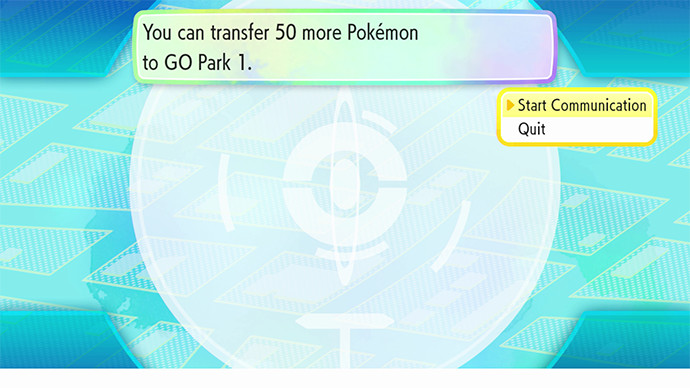
③ Choose “Start Communication.”
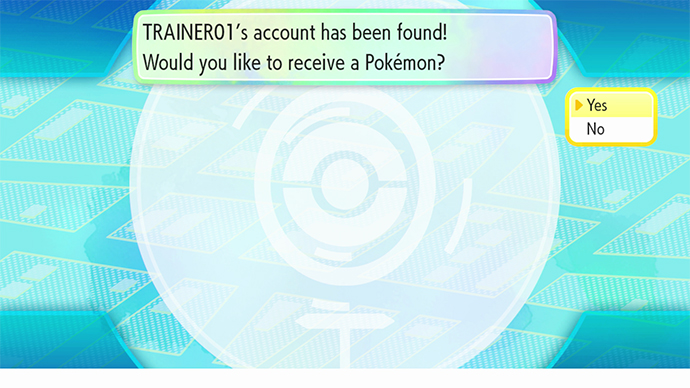
④ Choose “Yes” to complete the action.

⑤ The transfer completion screen appears.
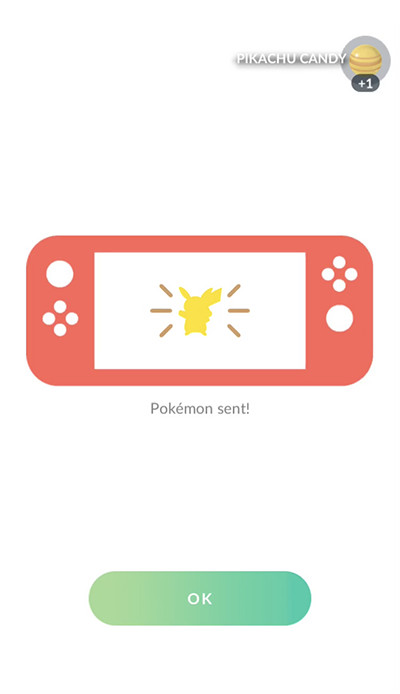
“Pokémon Sent!” appears on your Pokémon GO screen.
- * Once Pokémon are transferred to Nintendo Switch games, they cannot be returned to Pokémon GO.
- * Pokémon originally discovered in the Kanto region including Alolan regional variants, as well as Meltan and Melmetal, can be brought into Nintendo Switch games. Some of the special Pokémon that can be caught in Pokémon GO are not moveable.
- * The information on Pokémon will change after they are brought into Nintendo Switch games.
Source: Pokemon.co.jp


15 thoughts on “Official guide with pictures: How to transfer Pokémon from Pokémon GO to Pokémon Let’s Go Pikachu and Let’s Go Eevee”